 Favors.dev
AI Text Cleaner
Remove hidden Unicode characters, zero-width spaces, and Markdown residue from AI drafts
 by neo wang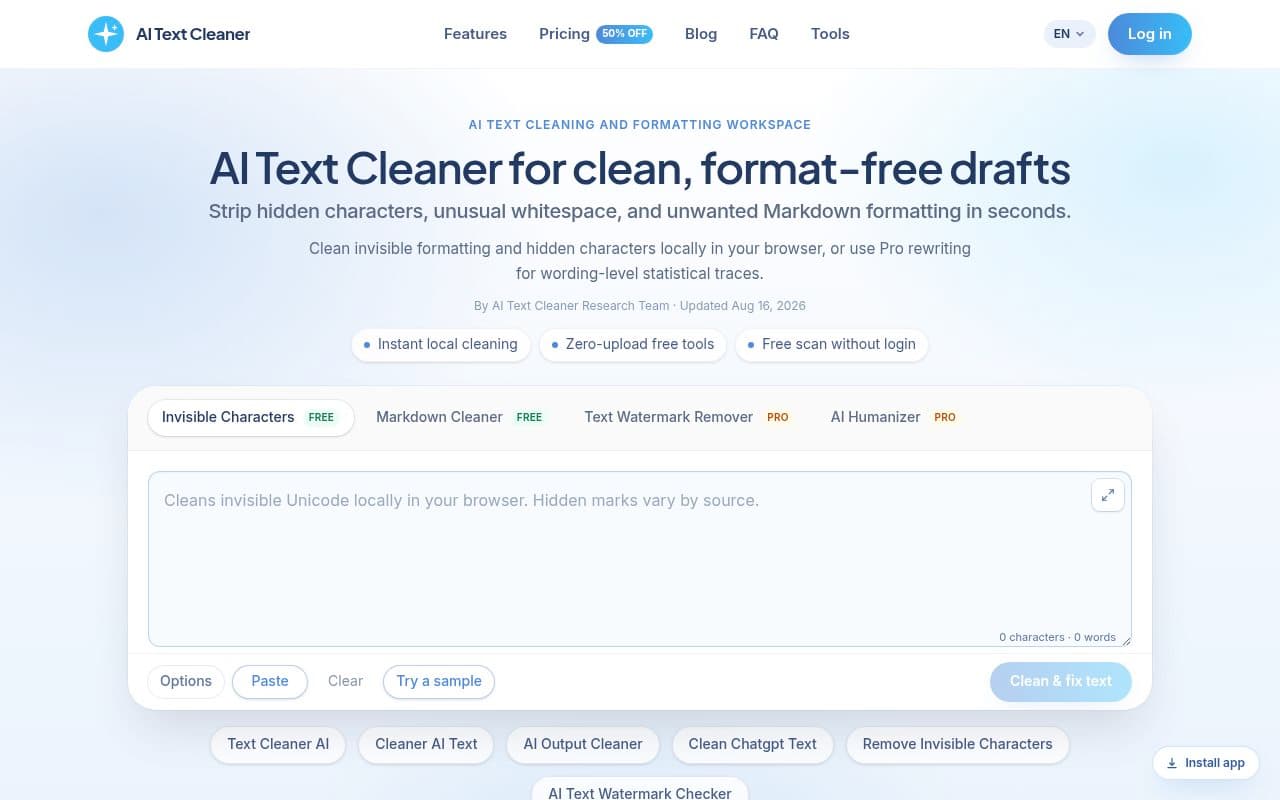
About AI Text Cleaner
AI Text Cleaner is a specialized utility designed to sanitize machine-generated text by removing invisible characters, erratic whitespace, and unwanted Markdown formatting. It is built for content marketers, editors, and teams who need to ensure their AI-generated drafts are clean, readable, and ready for professional publishing platforms.
Key features
- Instant local cleaning: Removes zero-width spaces, non-breaking spaces, and over 60 non-printing Unicode codepoints directly in your browser.
- Markdown stripping: Converts raw Markdown syntax—such as asterisks, header hashes, and blockquotes—into clean plain text.
- Client-side privacy: Free scans and character removal run entirely in the browser, ensuring your draft text is never uploaded to external servers.
- Pro rewriting tools: Includes a Text Watermark Remover and AI Humanizer to address statistical sampling traces and repetitive sentence structures.
How it works
- Paste: Input raw text from assistants like ChatGPT, Claude, or Gemini into the workspace.
- Inspect: Review the detailed count of hidden artifacts and formatting markers identified by the scanner.
- Clean or rewrite: Use the free tools to strip Unicode noise and Markdown, or upgrade to Pro for full-sentence reconstruction.
Use cases
- SEO & Content Marketing: Prevents hidden characters from breaking metadata or schema markup when publishing to CMS platforms like WordPress or Webflow.
- Editorial Workflows: Converts robotic AI formatting into clean, natural paragraphs for human review.
Frequently asked questions about AI Text Cleaner
Is my text uploaded to your servers when I use the free scanner?+
No, the invisible character removal and Markdown stripping tools run entirely in your browser. Your draft text is never uploaded to our servers during free scans.
What kind of formatting does the tool remove?+
It removes zero-width spaces, non-breaking spaces, over 60 non-printing Unicode codepoints, and standard Markdown syntax like asterisks, header hashes, and list markers.
What is the difference between the free tools and the Pro features?+
The free tools handle character sanitization and Markdown stripping locally. The Pro features include a Text Watermark Remover and AI Humanizer for full-sentence rewriting and addressing statistical sampling traces.
Community reviews
No reviews for AI Text Cleaner yet — be the first to leave one.
Support this launch
Members earn points for sharing, reviewing, and giving feedback on AI Text Cleaner. Not a member yet?
Join Favors.devMore from neo wang
- 0
M3U8 Player
Free browser player for authorized links with optional Pro playlist tools
- 0
ProductShot AI
Create professional ecommerce product photos and listing visuals from a single upload
- 0
DigiBouquet AI
Create and send personalized digital flower bouquets with AI-generated designs or handmade options
- 0
SeedAudio
AI Text to Speech & Voice Cloning
- 0
AIAgentSkills
Curated Claude skills marketplace to discover AI skills, templates, and plugins for writing, coding,
You might also like
- 4
SynthTest
AI personas built from deep research test your website or app to uncover why users drop off
- 3
Real Touch
Transform AI-generated portraits into authentic, realistic photos in under 60 seconds
- 3
Moltgate
Turn AI agent ideas into paid offers. Learn what sells, then automate what repeats.
- 2
Kingdom Life Architect
AI prompt engine for conversion-focused website blueprints.
- 2
Agent Ops Club
Access eight open source AI employees, the Agent Ops Masterclass, and 27 premium systems
- 1
InfluencerForge
Train one consistent AI model to generate photoreal social content, UGC ads, and motion clips