 Favors.dev
DeskWink
Connect your favorite web AI to your local computer folders with secure, manual approval
- 1
- favorite
About DeskWink
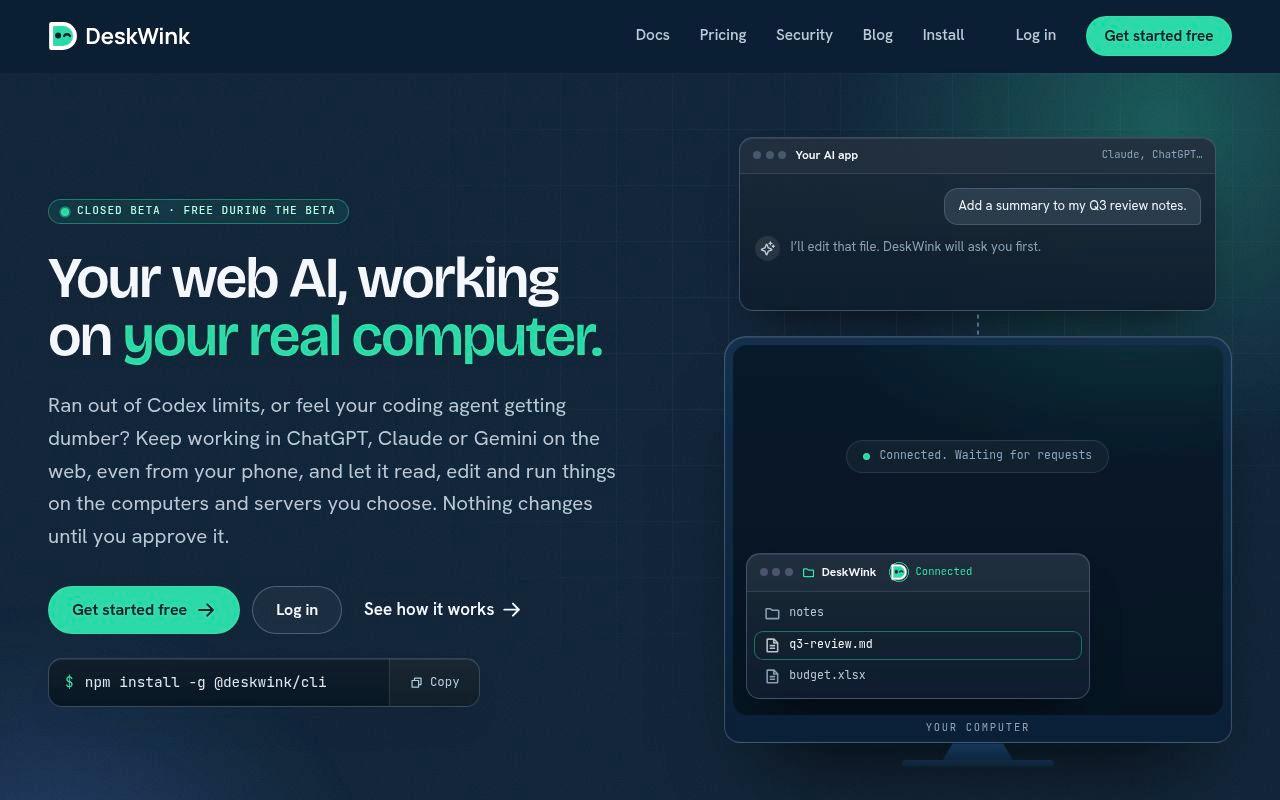
DeskWink is a bridge that connects web-based AI assistants like ChatGPT, Claude, and Gemini to the files and folders on your local computer or server. Designed for developers and power users, it allows you to use your preferred AI models to read, edit, and manage local files while maintaining strict security through manual human approval for every action.
Key features
- Human-in-the-loop: Every file change proposed by the AI requires your explicit approval before it is executed.
- Cross-platform support: Works on Windows 10/11 and macOS 13+, with support for Linux servers coming soon.
- Model flexibility: Use the best AI models available in your web chat apps without being restricted to specific built-in coding agents.
- Remote access: Start tasks from your phone or web browser that execute directly on your local machine.
- Privacy-focused: No file contents are stored on DeskWink servers.
How it works
- Install: Use the npm CLI tool (
npm install -g @deskwink/cli) on your machine. - Pair: Run
deskwink launchto link your computer to your DeskWink account. - Connect: Add the DeskWink MCP (Model Context Protocol) URL to your AI app's custom connector settings.
Pricing & plans
- Beta: Currently in a closed beta phase and free to use.
Frequently asked questions about DeskWink
What AI platforms does DeskWink support?+
DeskWink works with remote MCP clients such as Claude and ChatGPT where your plan allows custom connectors, as well as Gemini on the web.
Is my data stored on DeskWink's servers?+
No, DeskWink does not store any file contents on its servers.
How many computers can I connect?+
The free beta plan currently includes support for up to 2 computers.
What are the system requirements for the CLI?+
You need Node.js 22 or newer, and either Windows 10/11 or macOS 13 or later.
Community reviews
- Mark FultonContributor · today
Smart angle. You keep the AI app you already pay for and it just reaches your own files, no second subscription for another model. The approve or reject screen with the diff and a backup made me relax a bit. Asking from a phone while the computer sits at home is cool. What if a new install started with one folder shared, and I open up more later?
Support this launch
Members earn points for sharing, reviewing, and giving feedback on DeskWink. Not a member yet?
Join Favors.devYou might also like
- 4
SynthTest
AI personas built from deep research test your website or app to uncover why users drop off
- 3
Moltgate
Turn AI agent ideas into paid offers. Learn what sells, then automate what repeats.
- 3
Real Touch
Transform AI-generated portraits into authentic, realistic photos in under 60 seconds
- 2
Kingdom Life Architect
AI prompt engine for conversion-focused website blueprints.
- 2
Agent Ops Club
Access eight open source AI employees, the Agent Ops Masterclass, and 27 premium systems
- 2
Vellm
Turn photos into short AI videos with ready-to-use templates