 Favors.dev
Grok Voice 3.0
An all-in-one browser workspace for natural text-to-speech generation and audio transcription
 by shuo chen
About Grok Voice 3.0
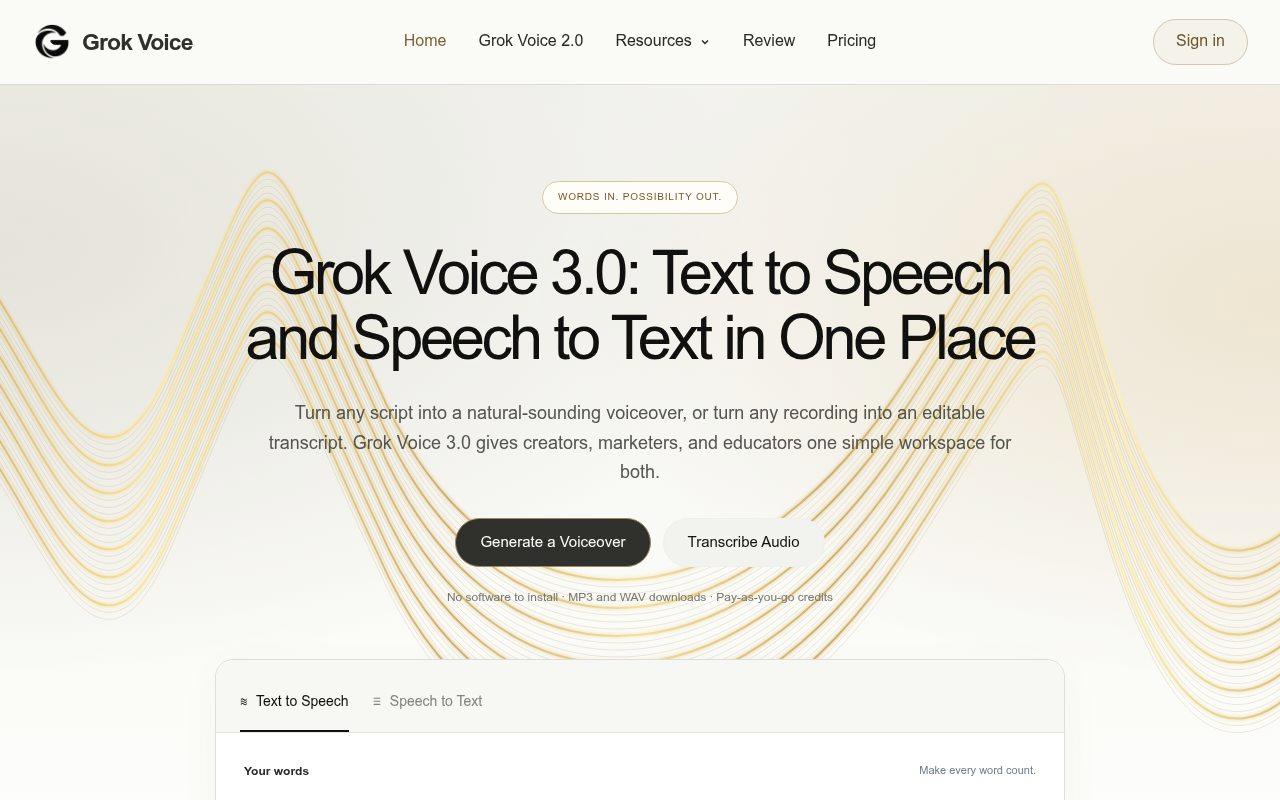
Grok Voice 3.0 is a unified browser-based platform designed for creators, marketers, and educators to handle both text-to-speech and speech-to-text workflows. It eliminates the need to juggle multiple apps by providing a single workspace to turn scripts into natural-sounding voiceovers or convert recordings into editable transcripts.
Key Features
- Dual Workflow: Easily switch between text-to-speech generation and audio transcription.
- Flexible Audio Settings: Download files in MP3 or WAV formats with customizable sample rates (8 kHz to 48 kHz) and bitrates (32 to 192 kbps).
- Advanced Transcription: Includes speaker identification, custom keyword support (up to 100 terms), and options for clean or verbatim transcripts.
- Integration: Seamlessly move from a transcript to a voiceover script with the "Use as script" feature.
- Precision Tools: Word-level timestamps available for syncing narration with video captions and on-screen text.
How it Works
- Choose a mode: Select either Text to Speech or Speech to Text.
- Add source: Paste your script, upload an audio file (up to 500 MiB), or provide a public audio link.
- Generate & Refine: Review the output in your browser, edit as needed, and download your results. All work is saved in "My Creations" for easy access to past takes.
Pricing & Plans
- Pay-as-you-go: The platform utilizes a credit-based system, with estimated costs displayed before each task generation.
Frequently asked questions about Grok Voice 3.0
What file formats and audio settings does Grok Voice support?+
You can download audio in MP3 or WAV formats. The platform offers advanced settings including PCM, μ-law, and A-law, with sample rates ranging from 8 kHz to 48 kHz and MP3 bitrates from 32 to 192 kbps.
How much text can I process at once?+
You can paste up to 60,000 characters per request. For longer projects, it is recommended to split lessons or explainers into sections at topic changes.
Does the platform support multiple languages?+
Yes, you can write scripts in English, Spanish, French, German, Japanese, Chinese, and more. You can manually select the language or use the auto-detect feature.
How does the pricing work?+
Grok Voice 3.0 operates on a pay-as-you-go credit system. The generator displays the estimated credit cost for each task before you begin.
Community reviews
No reviews for Grok Voice 3.0 yet — be the first to leave one.
Support this launch
Members earn points for sharing, reviewing, and giving feedback on Grok Voice 3.0. Not a member yet?
Join Favors.devMore from shuo chen
You might also like
- 4
SynthTest
AI personas built from deep research test your website or app to uncover why users drop off
- 3
Moltgate
Turn AI agent ideas into paid offers. Learn what sells, then automate what repeats.
- 3
Real Touch
Transform AI-generated portraits into authentic, realistic photos in under 60 seconds
- 2
Kingdom Life Architect
AI prompt engine for conversion-focused website blueprints.
- 2
Agent Ops Club
Access eight open source AI employees, the Agent Ops Masterclass, and 27 premium systems
- 2
Vellm
Turn photos into short AI videos with ready-to-use templates