 Favors.dev
About VideoTextRemover
AI tool that removes text, captions, and watermarks from video without blur or crop. Freemium: 30 free seconds every month.
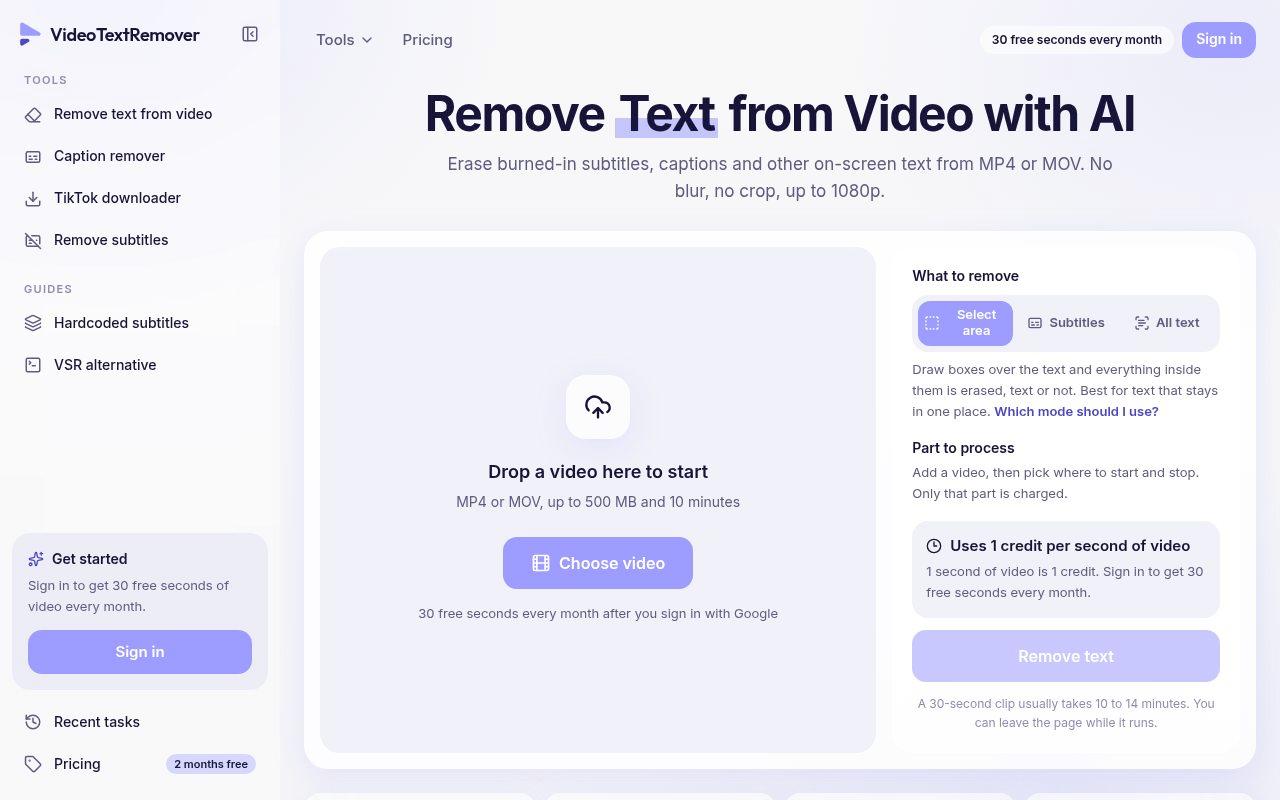
VideoTextRemover erases burned-in subtitles, captions, titles, timestamps, and watermarks from MP4 or MOV files. Creators and editors can clean footage without cropping or blurring the original frame, with output up to 1080p.
Key features
- AI-powered removal: Rebuilds the area behind text so the frame looks untouched — no blur or crop.
- Text, captions, and watermarks: Handles on-screen text, burned-in captions, and watermarks.
- Multiple processing modes: 'Select area' for fixed text, 'Subtitles' for jumping captions, or 'All text'.
- Flexible input: MP4 and MOV files up to 500 MB and 10 minutes.
Pricing
- Freemium: 30 free seconds every month.
- Pay-per-second: 1 second of video equals 1 credit.
Frequently asked questions about VideoTextRemover
What video formats and sizes are supported?+
You can upload MP4 or MOV files that are up to 500 MB in size and 10 minutes long.
Is there a free trial available?+
Yes, you receive 30 free seconds of processing every month after signing in with your Google account.
How does the pricing work?+
The service operates on a pay-per-second model where 1 second of processed video costs 1 credit.
How long does it take to remove text from a video?+
A 30-second clip usually takes between 10 to 14 minutes to process, and you can leave the page while it runs.
Community reviews
No reviews for VideoTextRemover yet — be the first to leave one.
Support this launch
Members earn points for sharing, reviewing, and giving feedback on VideoTextRemover. Not a member yet?
Join Favors.devYou might also like
- 1
Vidmoat
Hosted AI video editor with a real, reviewable timeline
- 1
SaaSExplainer.video
Turn your SaaS landing page into a 60-second explainer video that actually converts
- 1
Clipin AI
AI UGC Video Generator for stories worth watching.
- 1
Reelary
Search your own footage by describing a shot, fully local
- 0
Video Size Reducer
Too big to send? Reduce video file size online and download a shareable MP4 for chat and email.
- 0
Dame Hombro AI
One photo → viral Dame Hombro freestyle video for TikTok & Reels