 Favors.dev
- 1
- favorite
About AppScreen
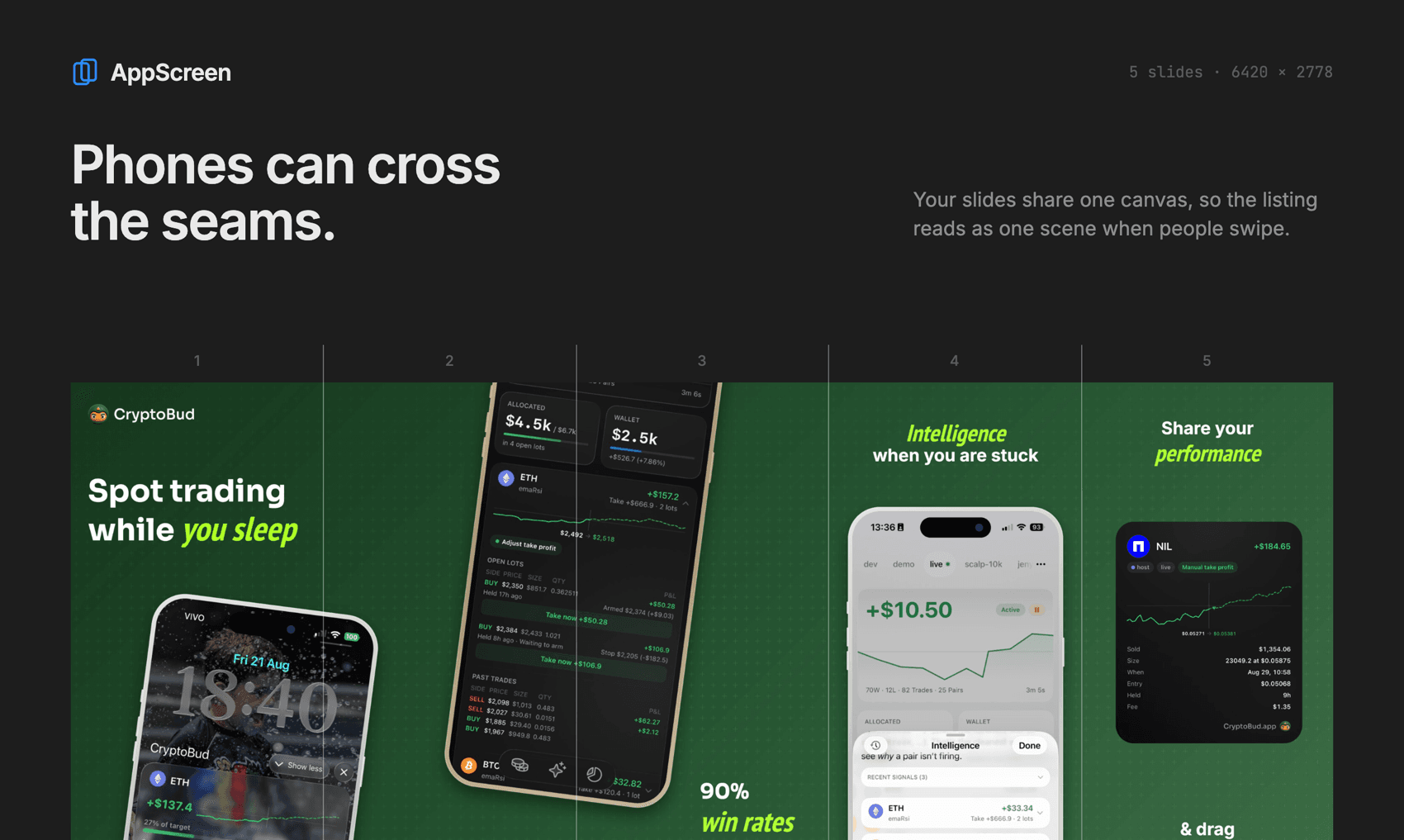
AppScreen is a browser editor for App Store screenshots. You lay out every slide on one continuous canvas so a phone or headline can sit across the seam between two screenshots, then export each slide as a PNG at App Store size. iPhone and iPad frames, gradients, patterns, and rich text. Free to start. Pro is $9 once. iPhone and iPad only.
Frequently asked questions about AppScreen
Is AppScreen a subscription service?+
No, the Pro version is a one-time payment of $9 with no recurring subscription fees.
Can I use AppScreen to design screenshots for Google Play?+
No, AppScreen currently only supports App Store screenshots and does not support Google Play.
Do I need to create an account to use the free version?+
No, the free version does not require an account or credit card. Your work is saved directly in your browser.
How do coding agents interact with AppScreen?+
Pro users can connect agents like Cursor, Claude Code, or VS Code to the AppScreen canvas via MCP to perform design tasks.
Community reviews
- Mark FultonContributor · 21d ago
Opened straight into the editor, no signup. That's the move. Five slides on one canvas with a phone tilted across the seam looks great, and 45 presets means I'm not staring at a blank page. Pasting my App Store link to import is clever too. What if the import also pulled in my app's name and brand colors so the preset fits right away?
 ShuttlewrightMember · 21d ago
Tested the pitch against the live page at appscreen.pro. The panorama canvas is the real idea here: every other screenshot tool forces you to design slide by slide, and anyone who has tried to run a background gradient or a phone frame across App Store slides knows that pain. Cutting one wide canvas into correctly sized PNGs per slide, and naming the exact export dimensions for App Store Connect and Play Console, tells me the maker has actually shipped an app listing. The pricing position is sharp too: free with no account, and Pro is $9 once, not a subscription. For an indie dev who needs screenshots a few times a year, that beats a design-tool subscription. The MCP integration is quietly forward-looking - having a coding agent lay out screenshots while it ships the build fits how a lot of solo developers work now. What would raise it: for a design tool, the page leads with words instead of output. A gallery of real panoramas above the fold would sell the canvas faster than the feature list. The "Featured on" wall of thirty small directories reads as badge-collecting rather than proof - three recognizable names beat thirty nobody knows. Two practical gaps: no mention of localization, which is the truly tedious part of screenshot production (duplicating captions across languages), and Free saves projects "in this browser", which silently risks lost work on a cache clear - worth a warning or an export reminder. Strong, well-scoped tool at a fair price. I would use it for my next listing.
Support this launch
Members earn points for sharing, reviewing, and giving feedback on AppScreen. Not a member yet?
Join Favors.devYou might also like
- 1
3dlogoai
AI 3D and 2D logo generator: pro logos in seconds
- 1
Tesla Wrap Pro
Explore a gallery of digital Tesla wraps
- 1
AI Room Makeover
Preview one concrete room change in your own photo before you act.
- 1
StylMorph
Turn photos into comic and cartoon artwork with AI.
- 1
Peak Maps
Interactive mountain height comparison featuring 50 iconic peaks in 2D contour art and 3D models
- 1
Birthday Website
Turn birthday memories into an interactive gift website