 Favors.dev
- 1
- favorite
About KeepAnswers
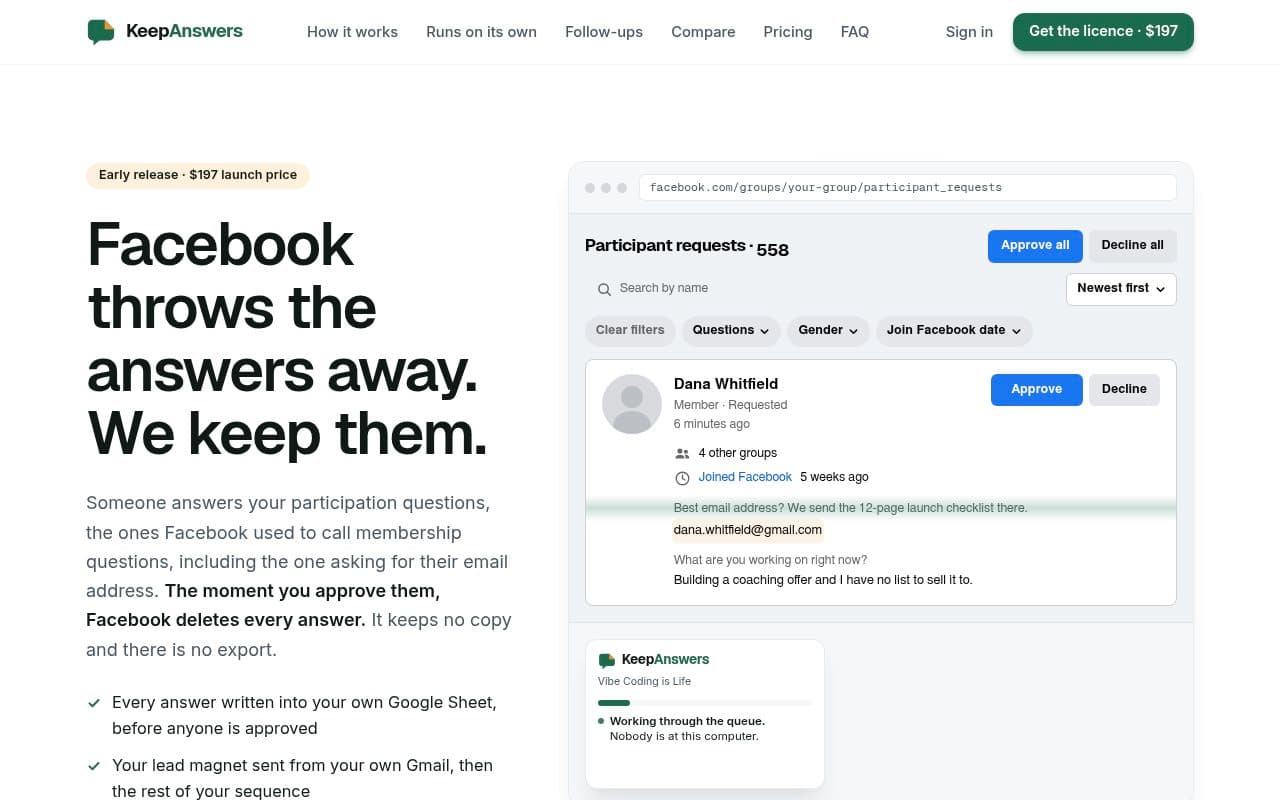
KeepAnswers is a browser extension designed for Facebook group admins who want to capture member data before it is deleted by Facebook. It automatically saves participation question answers directly into your own Google Sheets and triggers multi-email follow-up sequences via your personal Gmail account. The tool runs unattended, allowing admins to manage member approvals on a schedule without needing to be at their computer.
Key Features
- Data Preservation: Automatically saves every answer to your participation questions into a Google Sheet before Facebook deletes them.
- Automated Follow-ups: Sends lead magnets and email sequences directly from your own Gmail account to maintain your sender reputation.
- Unattended Approval: Approves new members on a set schedule while you are away from your computer.
- Privacy-Focused: Data is stored in your own Google Drive and processed via your own Apps Script; the service does not store your answers on their servers.
Pricing & Plans
- Lifetime License: A one-time payment of $197 covers unlimited groups with no recurring subscription fees.
- Guarantee: Includes a 14-day money-back guarantee.
How it Works
- The extension functions by posting data directly to an Apps Script running within your own Google account.
- You configure your email sequences, lead magnets, and approval settings within a dedicated 'Settings' tab in your Google Sheet.
- The system requires Chrome to be running, but you do not need to be actively using Facebook or present at your computer for it to function.
Frequently asked questions about KeepAnswers
Does KeepAnswers store my members' answers on their own servers?+
No. The extension posts data directly to an Apps Script running in your own Google account, and your Google Sheet is owned by you.
How much does KeepAnswers cost?+
It is a one-time payment of $197 for a lifetime license that covers all the groups you run.
Do I need to keep my computer on for this to work?+
Yes, the Chrome browser must be running for the extension to process requests, but you do not need to be at the computer or logged into Facebook.
Can I use my own email address to send the follow-ups?+
Yes, the tool sends emails directly from your own Gmail account, ensuring your own address appears in the From line.
Community reviews
No reviews for KeepAnswers yet — be the first to leave one.
Support this launch
Members earn points for sharing, reviewing, and giving feedback on KeepAnswers. Not a member yet?
Join Favors.devMore from Mark Fulton
- 4
SynthTest
AI personas built from deep research test your website or app to uncover why users drop off
- 4
ChaChing Alerts
Get a real-time Stripe payment notification with a cash-register sound every time you make a sale
- 3
$199 Domains
Premium, AI-vetted, and ownership-verified domain names for your startup for $199 or less
 3
3Favors.dev
A marketing co-op where founders trade verified growth actions to launch their SaaS
- 3
Real Touch
Transform AI-generated portraits into authentic, realistic photos in under 60 seconds
- 2
Agent Ops Club
Access eight open source AI employees, the Agent Ops Masterclass, and 27 premium systems
You might also like
- 2
First 1,000 Users
Guides to your first 1,000 users, by stage and product
- 1
Beevi
Your autonomous AI social media manager
- 1
SubmitMap
Every place worth submitting your product, and the order to do it in
- 1
Conversion Rescue
One free friction note in 24h, then fixed-scope B2B landing-page rewrites
- 1
hdrglow
Generate Ultra HDR images that render brighter than white on Instagram, YouTube and Threads
- 1
Shuttlewright Social Agent
An AI agent that drafts, schedules, and posts to your business socials with your approval